ASO Score report · 🇺🇸 US App Store

Eddie AI Video Editor

Prompt video edits anywhere

Photo & Video★ 5.0 · 1 ratingsFree

A solid page — fixing the top issues could lift it into the top tier.

Ranks #6 of 9 against the apps Apple lists as similar.

71/ 100
B

Score breakdown

Title

85
  • !
    Title lengthUses 21 of 30 characters.
  • ✓
    Keyword in titleGoes beyond the brand name with descriptive words.

Subtitle

80
  • ✓
    Subtitle lengthUses 27 of 30 characters.
  • !
    No repeated wordsRepeats “video” from the title.

Screenshots

67
  • !
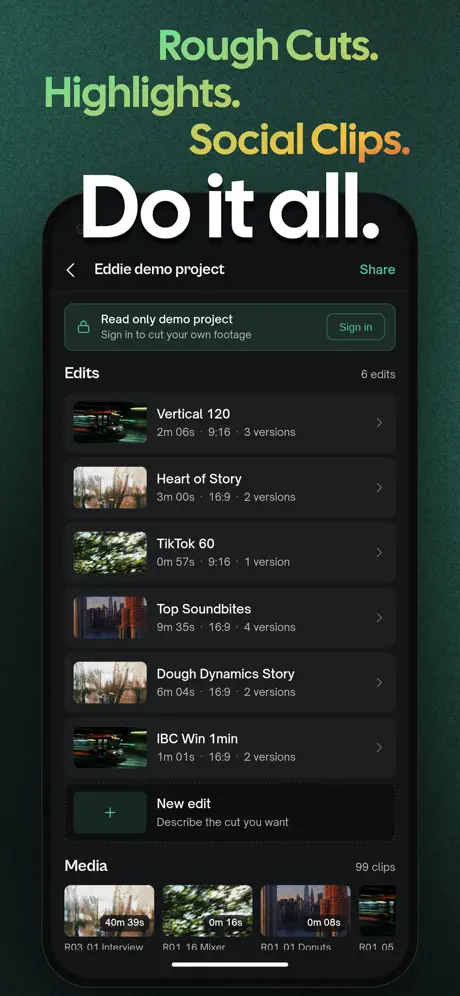
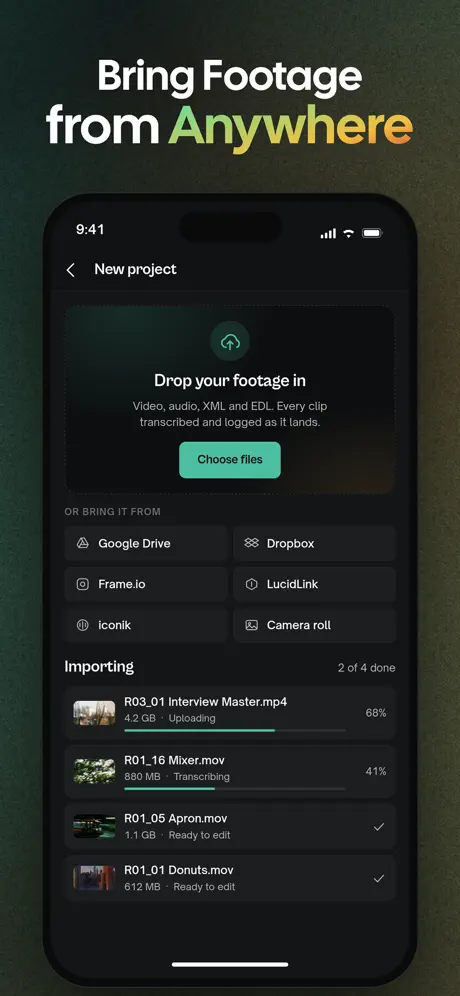
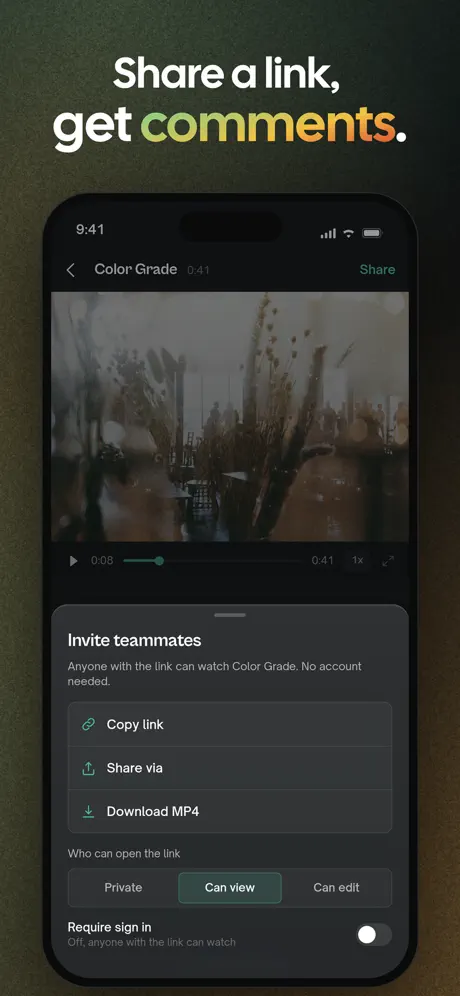
    iPhone screenshots5 of up to 10 screenshots.
  • ✓
    iPad screenshots3 iPad screenshots.

Ratings

55
  • ✓
    Average rating5.0 ★ average.
  • ✕
    Number of ratings1 ratings — similar apps have a median of 29.

Description

90
  • !
    Description depth1,264 of 4,000 characters.
  • ✓
    Opening lineOpens with a clear first line.
  • ✓
    Scannable layout13 paragraphs.

Localization

20
  • ✕
    LanguagesYour app supports 1 language.

Updates

100
  • ✓
    Recent updateLast updated 8 days ago.
  • ✓
    Release notesRelease notes describe what changed.

Top fixes

Ranked by how many points each one is worth. Fix these first.

  1. Number of ratingshigh impact+9 pts

    You have fewer ratings than similar apps. Prompt for a rating right after a user succeeds (finished a workout, saved a file) — never on launch.

  2. Languageshigh impact+8 pts

    Your app supports 1 language. Each App Store localization gets its own title, subtitle and keywords — localize your metadata for your top markets first.

  3. iPhone screenshotsmedium impact+5 pts

    You show 5 iPhone screenshots. Use 8–10: every extra frame is another chance to show a feature, and the first three appear right in search results.

  4. Title lengthlow impact+3 pts

    Your title uses 21 of 30 characters. The title is the strongest ranking field — use the spare space for your most important keyword.

  5. No repeated wordslow impact+3 pts

    Words already in your title (video) don’t rank better when repeated. Swap them for new keywords in the subtitle.

Fix these in minutes, not days.

Appsium researches keywords, rewrites your title and subtitle within Apple’s limits, and designs screenshots — then pushes it all to App Store Connect.

Fix my page free

Indexed fields

Apple searches your title and subtitle. Every unused character is a keyword you’re not ranking for.

Title21/30
Eddie AI Video Editor
Subtitle27/30
Prompt video edits anywhere

Keyword ideas

Words your description leans on that your title and subtitle don’t use yet.

You vs. similar apps

Compared with the median of 8 apps Apple shows on your page under “You Might Also Like”.

RatingsBehind
1You
28.5Similar apps (median)
Average ratingAhead
5.0 ★You
4.8 ★Similar apps (median)
iPhone screenshotsBehind
5You
6Similar apps (median)
LanguagesAhead
1You
1Similar apps (median)
Days since updateAhead
8 dYou
16 dSimilar apps (median)

Leaderboard

ASO Scores for the apps you compete with on the same page.

  1. 1
    Reelful - AI Video EditorAI edits your clips into Reels
    85
  2. 2
    MagicClip: AI video clippingLong videos to shorts, reel
    85
  3. 3
    Promptly - AI Video EditorCaptions, Cuts, Viral Edits
    83
  4. 4
    NewTake — AI Video EditorAI edits. Footage stays local.
    77
  5. 5
    CutAI: AI Video EditorAuto cuts, captions & text
    74
  6. 6
    Eddie AI Video EditorYouPrompt video edits anywhere
    71
  7. 7
    Iconik MobileYour team’s media, mobile
    69
  8. 8
    CineTempColor Temp & Exposure Tool
    68
  9. 9
    Digilog CameraPhoto & Video
    57

Screenshots

The first three show up in search results — they do most of the selling.
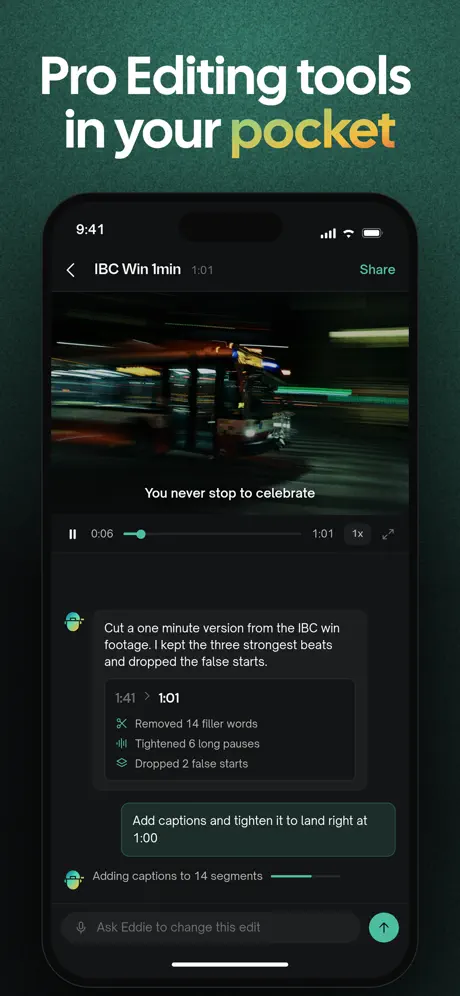
Screenshot 1Screenshot 2Screenshot 3Screenshot 4Screenshot 5

Ratings

1 ratings in the US App Store.

5 ★100%
4 ★0%
3 ★0%
2 ★0%
1 ★0%

Turn a 71 into a 90+.

Appsium is the AI workspace for App Store Optimization: keyword research with real search volume, metadata in every language, screenshots that convert and a pre-review check before you submit.